
Email Warmup Explained and a Simple Framework to Know If You Need It
Learn what email warmup is, when it helps deliverability, and a simple framework to decide between warmup, ramping volume, or fixes.

If your cold emails suddenly land in spam, your open rate drops, or a new domain cannot get traction, email warmup can look like the obvious fix. The problem is that warmup only solves a specific set of deliverability issues, and it can distract you from the real causes like bad lists, missing authentication, or sending too much too fast. This guide explains what warmup actually does, when it helps, when it is noise, and a practical decision framework you can use to protect domain reputation before you scale outbound.
Key takeaways
Email warmup builds sender reputation signals through controlled, realistic engagement, but it cannot “fix” a broken list or missing DNS authentication.
Use a decision framework: first validate setup and list quality, then choose between warmup, volume ramp, or remediation based on symptoms and metrics.
A safe plan combines prerequisites, pacing, and stop conditions so you do not trade short-term volume for long-term domain damage.

A simple view of how sender reputation builds during warmup and ramping.
What email warmup is and what it is not
A direct definition you can use
Email warmup is a controlled process of sending and receiving low-volume emails that generate realistic positive engagement signals (delivered, opened, replied, moved out of spam) to help a sending domain and mailbox build or rebuild sender reputation with inbox providers.
How warmup works conceptually
Providers score you over time: Gmail, Outlook, and others look at historical sending behavior, complaint rates, bounces, and engagement to decide where you land.
Warmup manufactures “normal” patterns: Instead of going from 0 to 200 cold emails/day, warmup introduces gradual, human-like activity so your sender profile does not look like a new spammer.
It is about reputation, not copy: Great copy helps replies, but warmup targets deliverability signals first.
Common misconceptions that cause founders to waste weeks
My domain is blacklisted, warmup will fix it: Warmup can help recovery after remediation, but you still need to remove the root cause and address listings.
Warmup replaces authentication: It does not. SPF, DKIM, and DMARC must be correct first.
Warmup guarantees Primary inbox: It cannot guarantee placement. It improves your odds when the rest of your system is healthy.
Actionable takeaway: Treat warmup as a reputation-building layer. If you cannot pass basic technical checks and list hygiene, warmup will not save the campaign.
Why email warmup matters for cold email deliverability
The real cost of getting filtered
Inbox providers have tightened enforcement. The practical result for founders is simple: one bad sending week can suppress deliverability for weeks after, even if you fix the copy. You are not only losing replies, you are training providers to distrust your domain.
Benchmarks and thresholds you should respect
Google and Yahoo’s 2024 sender requirements made two numbers very concrete for bulk senders: keep spam complaint rates under 0.3% (Google) and aim for 0.1% (Yahoo). Source: Google Postmaster and sender guidelines and Yahoo sender best practices.
What warmup helps you avoid
New-domain suspicion: A domain with no sending history looks risky.
Sudden volume spikes: Going from 0 to high volume is a common trigger for filtering.
Low engagement spirals: Low opens and no replies can reinforce negative placement over time.
Actionable takeaway: If you plan to do cold outreach at scale, design your first 2 to 4 weeks to protect reputation, not to maximize volume.
When email warmup helps vs when it is a distraction
Use this symptom-based decision map
Before you start email warmup, classify your situation into one of the scenarios below. The goal is to choose the fastest path that reduces risk.
Situation | What you will see | Warmup helps? | Do this first |
|---|---|---|---|
Brand new domain or mailbox | No sending history, low inbox placement, cautious throttling | Yes, strongly | SPF/DKIM/DMARC, then warmup + gradual ramp |
Domain was “cold” for 30+ days | Volume restart causes spam placement or temp blocks | Yes | Restart with warmup-like ramp, avoid sudden spikes |
Deliverability drop after scaling | Opens fall, more spam folder, provider warnings | Maybe | Reduce volume, check complaints, review targeting and copy |
High hard bounces | Bounce rate climbs, mailbox providers distrust you | No | Fix list quality and verification; see bounce rate definition |
Missing or failing authentication | SPF/DKIM/DMARC fail, spoofing risk, filtering | No | Correct DNS, then re-evaluate sending plan |
Bad targeting or weak offer | Low replies, higher complaints, “not interested” reactions | Not really | Fix ICP and messaging; improve cold email personalization |
Quick rule that prevents most mistakes
If your problem is reputation history, email warmup can help. If your problem is data quality, authentication, or relevance, warmup is a distraction and can even hide the real issue while you keep sending.
Actionable takeaway: Pick one primary constraint to fix this week. Do not run warmup, ramp volume, and change targeting all at once or you will not know what worked.
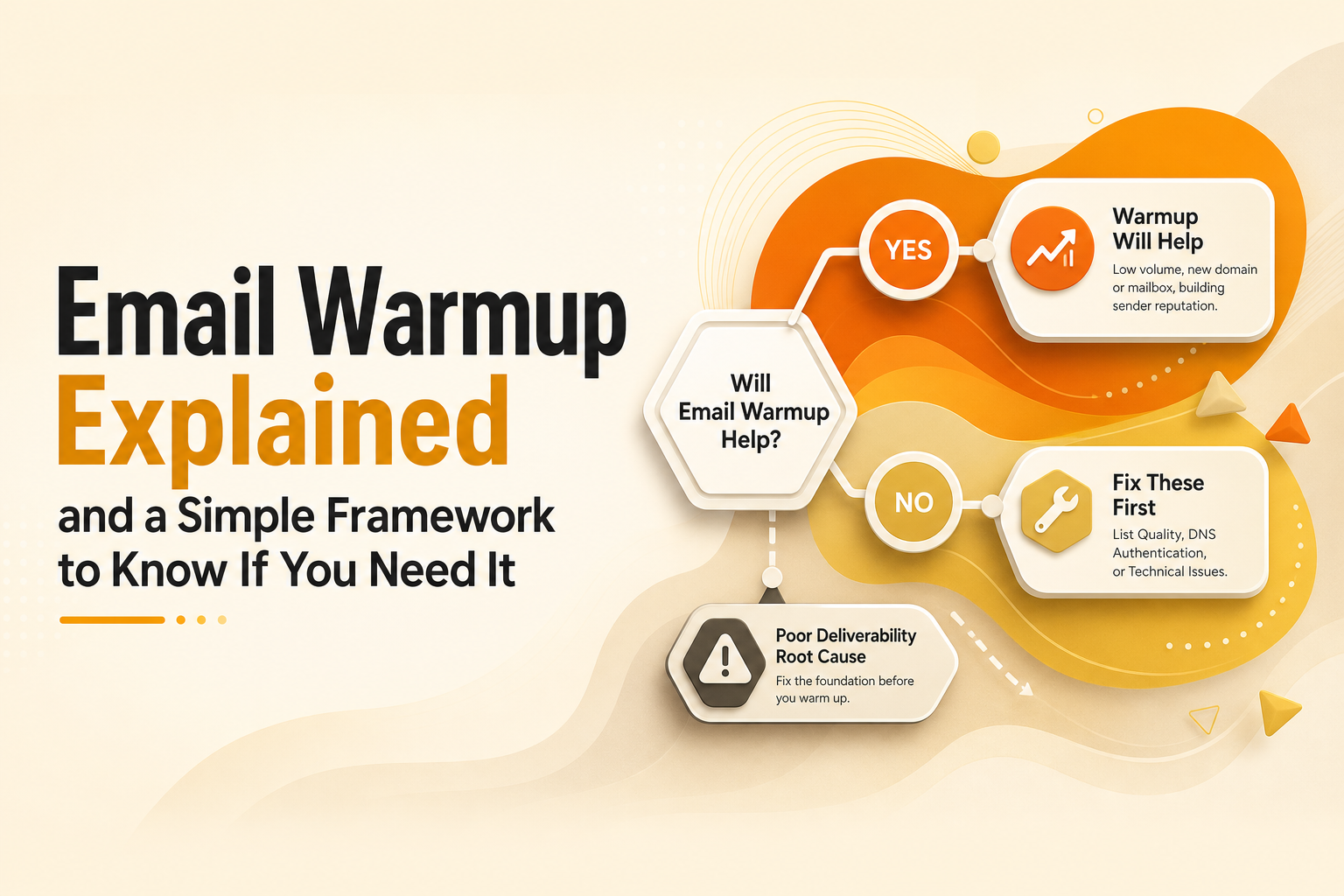
Decision map showing when warmup helps versus when to fix list or DNS issues.
A safe email warmup and ramp plan for cold outreach without hurting domain health
Phase 0 prerequisites (do these before sending anything)
Authentication: SPF, DKIM, and DMARC must pass. If you do not have DMARC, start with p=none and monitor, then tighten later.
Tracking hygiene: Avoid heavy link tracking and image pixels on day 1. Too many tracked links can look unnatural for a new sender.
List quality: Verify emails and remove risky domains or role accounts when possible. High bounces will erase warmup gains fast.
Mailbox readiness: Complete profile, add a signature, and send a few real emails manually to known contacts to create natural baseline activity.
Phase 1 warmup pacing (a simple 3-week ramp)
This pacing works for most founders running one mailbox per domain. If you run multiple mailboxes, ramp each mailbox independently and keep total domain volume conservative.
Week 1: 5 to 15 total outbound emails/day per mailbox. Keep messages plain, minimal links, and aim for real replies from a small subset of friendly contacts if possible.
Week 2: 15 to 35/day per mailbox. Introduce light personalization, 1 link max, and keep subject lines straightforward.
Week 3: 35 to 60/day per mailbox. Add your normal sequence structure gradually, not all at once.
Phase 2 scale with guardrails (what to monitor daily)
Hard bounces: Keep as close to 0% as possible. If you exceed 2%, pause and fix the list before sending more.
Spam complaints: Treat any spike as an emergency. Remember the 0.3% guideline for bulk senders.
Inbox placement signals: If you see a sudden shift to Promotions or Spam, reduce volume for 3 to 5 days and simplify content.
Reply rate quality: Low replies plus higher negative responses usually means targeting is off, not that you need more warmup.
Stop conditions (when to pause instead of pushing through)
Hard bounces exceed 2% for 2 consecutive days.
Spam complaints appear or increase meaningfully.
Provider throttling or temporary blocks show up in logs.
Actionable takeaway: Email warmup should end with a stable daily send that you can maintain. The safest “finish line” is consistency, not a specific number.
A simple decision framework to choose warmup vs ramping vs fixes
Step 1 diagnose with three questions
Is my technical setup correct? If SPF/DKIM/DMARC fail, fix DNS before anything else.
Is my list clean enough to protect reputation? If bounces are high, stop and fix data.
Do I have a reputation-history problem? New domain, long pause, or sudden spike in volume points to needing email warmup and a slower ramp.
Step 2 pick one primary lever
Choose email warmup if you have little to no sending history, or you restarted after a long pause.
Choose volume ramping if your domain is healthy but you are increasing volume. Ramp slowly and keep daily limits stable.
Choose list and relevance fixes if you see bounces, complaints, or negative replies. Warmup will not offset poor targeting.
Step 3 run a 7-day test and review
Make one change, hold it for a week, and review outcomes. If you change warmup, copy, list source, and sending volume together, you cannot attribute the improvement and you risk repeating the same mistake later.
Actionable takeaway: Treat deliverability like a controlled experiment. One lever per week beats “do everything” every time.
Email warmup checklist you can copy before launching outbound
DNS: SPF pass, DKIM pass, DMARC present.
Mailbox: Profile completed, signature added, real conversational sending history started.
List: Verified emails, risky segments removed, bounce monitoring in place.
Content: Plain formatting initially, limited links, no aggressive tracking on day 1.
Warmup plan: 3-week pacing defined with daily caps per mailbox.
Monitoring: Hard bounces, complaints, and placement checked daily.
Stop conditions: Clear thresholds that trigger a pause and investigation.
Scale rule: Increase volume only after 5 to 7 stable days.
Actionable takeaway: Bookmark this checklist and run it before every new domain, new mailbox, or major volume increase.
The next article in the series
Cold Outreach, Explained: A Practical System to Get Replies Without Burning Your List (2026)
Bounce Rate Definition in Cold Email Plus the Only Breakdown That Matters
Cold Email Personalization: A Practical System to Get Replies Without Burning Time
Email warmup FAQ
How long should email warmup take for a new domain?
Plan for 2 to 4 weeks depending on how conservative you want to be. If you have zero history, a 3-week ramp with stable daily limits usually reduces risk compared to rushing to high volume in the first week.
Can email warmup fix high bounce rates?
No. High bounces are a list quality problem, and they directly harm reputation. Pause sending, verify addresses, and improve sourcing before you continue any warmup or outbound sequence.
What is a safe daily sending limit while warming up?
Many teams start at 5 to 15 emails/day per mailbox in week 1, then ramp gradually. The safest limit is the one you can keep consistent while maintaining low bounces and near-zero complaints.
Do I still need warmup if my DNS authentication is correct?
Yes, sometimes. Authentication proves legitimacy, but it does not create positive sending history. If your domain is new or recently inactive, email warmup plus a gradual ramp can help establish reputation signals.
If you want to automate the reputation-protection parts of this process, Outbound Glow can monitor domain health signals and run warm-up and pacing guardrails so you can scale outreach without guessing. See how Outbound Glow supports safer sending, then start with a small ramp and let your metrics confirm when it is time to increase volume.

Written by Leah Nguyen
Read Next
View all
Standard Email Open Rates, The Only Benchmark Framework That Explains the Conflicting Numbers
Learn what standard email open rates mean in 2026, why benchmarks conflict, and how to pick the right range using CTR and CTOR.

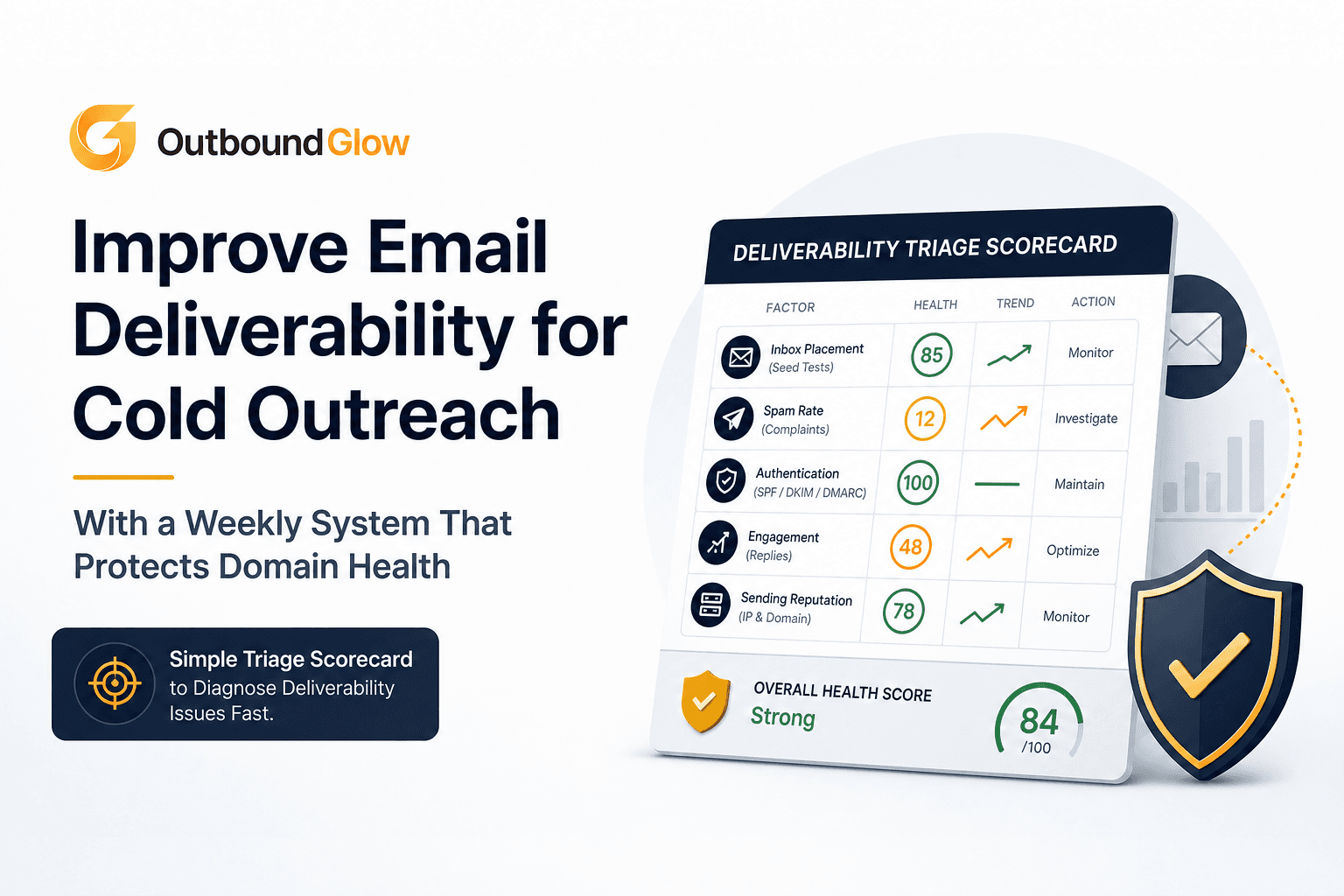
Improve Email Deliverability for Cold Outreach With a Weekly System That Protects Domain Health
Improve email deliverability for cold outreach with a weekly scorecard, ramp plan, and safe personalization to protect domain health.

Test Domain Health Before Scaling Cold Email With a 72-Hour Micro-Send Protocol
Learn how to test domain health before scaling cold email using a 72-hour micro-send protocol, go/no-go thresholds, and fix paths.