
Custom Email Marketing Explained, A Beginner-Friendly Framework for AI Personalization
Custom email marketing explained for 2026: what it is, what it is not, benefits you can measure, and a 3-step AI framework that protects deliverability.
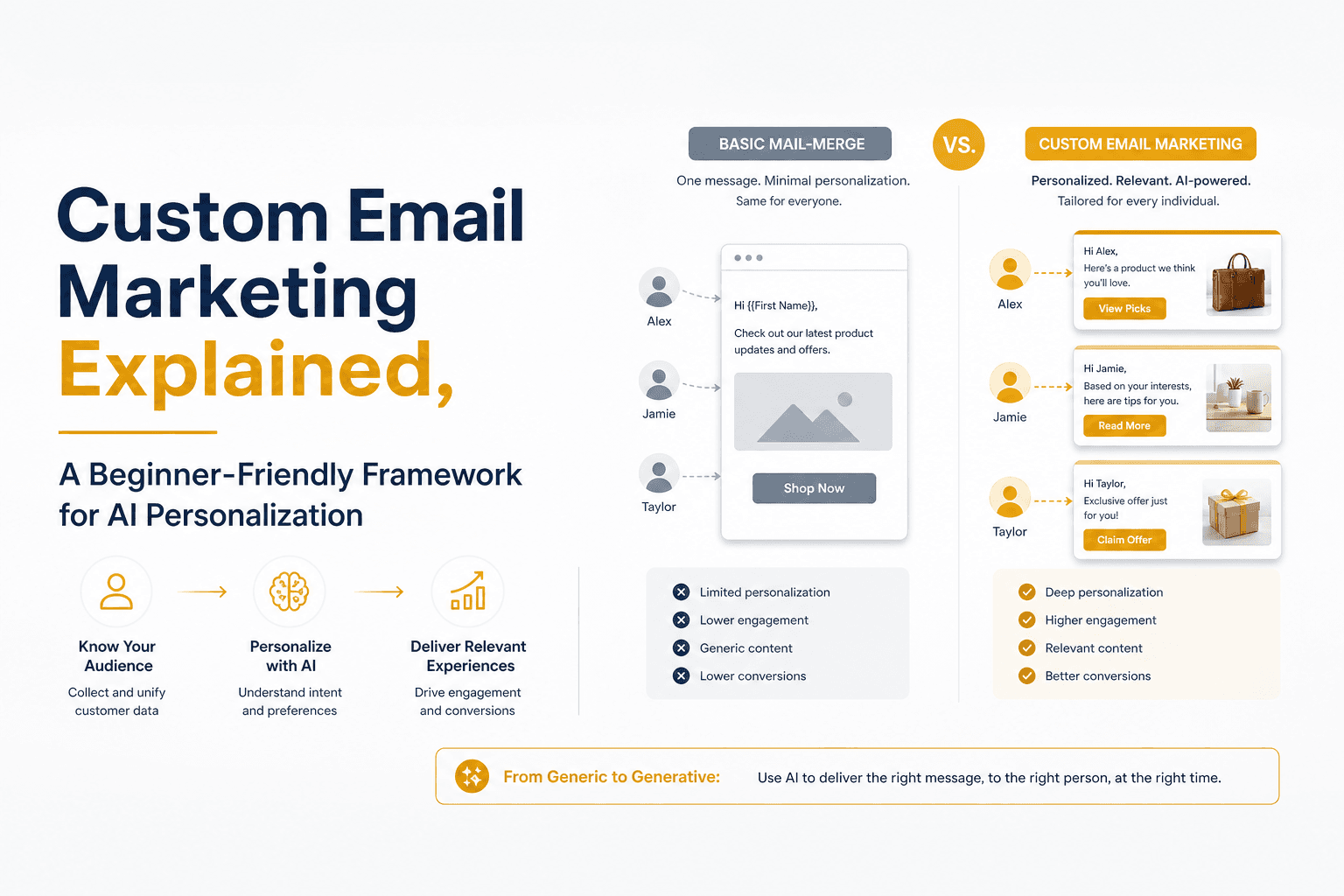
If your emails feel “personalized” but still get ignored, you are not alone. Most teams think custom email marketing means inserting a first name and a company field, then blasting the same pitch to everyone. In 2026, inboxes reward relevance, not merge tags. This guide explains what custom email marketing really means, what it does not, and a simple three-part framework to personalize at scale with AI while keeping deliverability safe. You will leave with concrete examples, a checklist you can reuse, and a starter path for teams new to personalization.
Key takeaways
Custom email marketing is message-to-context fit: the offer, proof, and ask change based on real signals, not just {{first_name}}.
Measurable wins show up in replies, conversions, and retention, but only if you personalize the right parts and protect domain health.
Use a 3-step framework: choose data signals, tailor messages by segment, then send with domain-safe controls and testing.
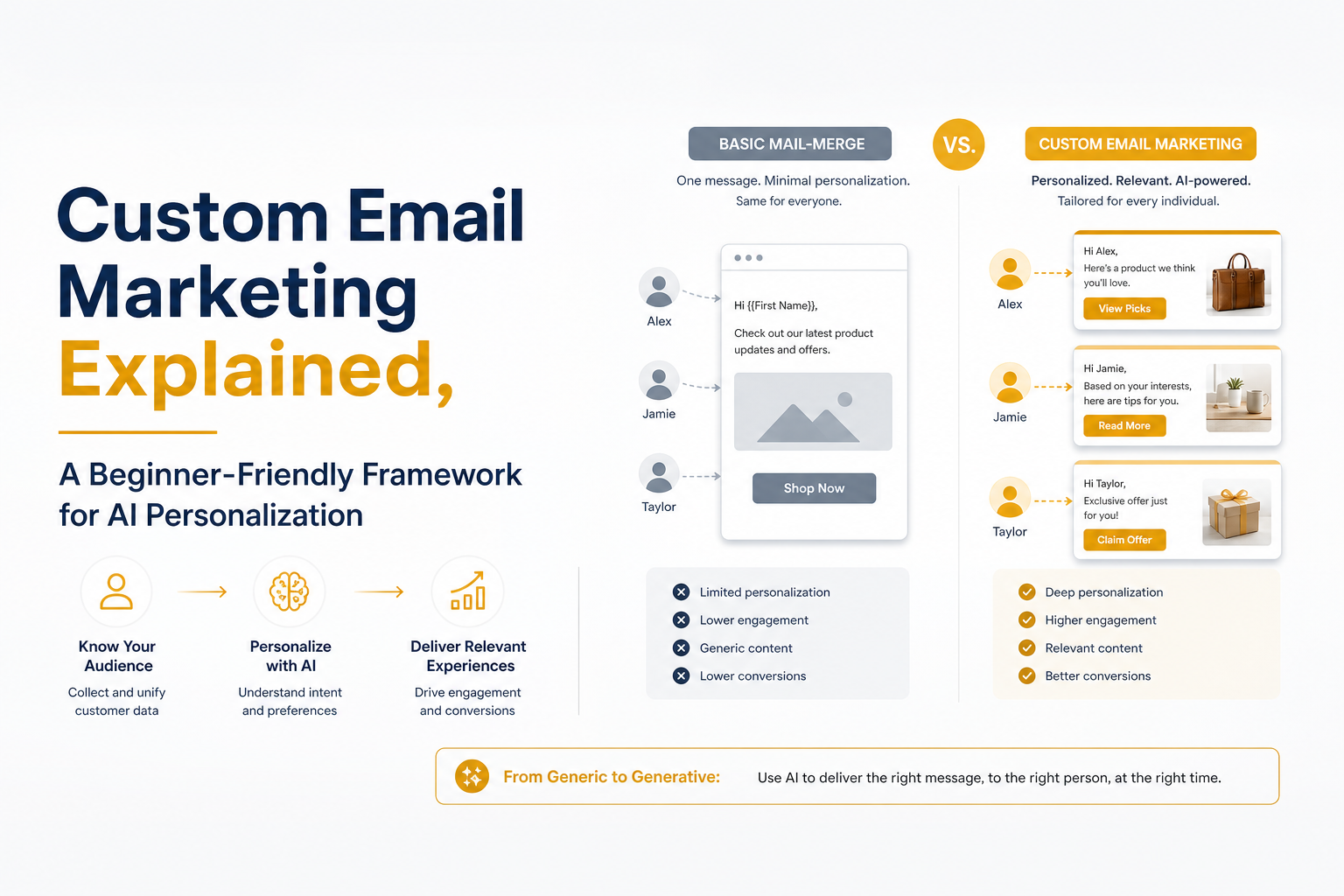
A simple view of how custom email marketing differs from basic mail-merge personalization.
What is custom email marketing in 2026
Custom email marketing is the practice of tailoring email content, timing, and offers to a recipient’s specific context and intent signals, so each message feels written for them and drives a measurable action such as a reply, a demo booking, or a renewal. It goes beyond mail-merge by changing the “why you, why now” logic, not just the greeting.
What it is (a practical definition)
Custom inputs: role, industry, stack, recent events, buying stage, and pain indicators.
Custom output: the hook, the value proposition angle, the proof point, and the call to action adjust per segment or person.
Custom constraints: frequency, sending domain, and list hygiene adapt to protect deliverability.
What it is not (common misconceptions)
Not “Hi {{first_name}}” plus a generic pitch.
Not swapping one sentence while the rest stays identical across thousands of sends.
Not using “AI” to paraphrase a template without adding real context.
Mail-merge vs true customization (quick example)
Mail-merge: “Hi Priya, I saw you work at Acme. We help teams increase pipeline. Want to chat?”
Custom email marketing: “Hi Priya, noticed Acme is hiring 3 SDRs for EMEA and your team is expanding outbound coverage. If you are ramping new reps, a tight deliverability and sequencing system usually matters more than adding volume. Want a 10-minute walkthrough of a ramp plan that avoids burning a new domain?”
Actionable takeaway: If your hook would still make sense for 80% of your list, it is not custom yet.
Why custom email marketing works, benefits you can actually measure
Personalization works when it increases perceived relevance and reduces the effort required to understand your offer. The outcome is not just “better engagement” in the abstract. You can measure it in replies, conversions, and long-term retention.
Two data points worth knowing (and why they matter)
Gartner, a leading global research and advisory firm, has consistently highlighted personalization as a driver of improved customer outcomes and loyalty in digital channels. The practical implication: generic messaging gets filtered out faster, especially as buyers self-educate before they talk to sales.
Deliverability research consistently shows that repetitive templates and poor list hygiene increase spam risk, while unique content and controlled sending help maintain domain reputation. The implication: personalization and deliverability are linked, not separate workstreams. Both should be managed together from the start.
The benefits you can measure (choose 3 to track)
Reply rate: Track positive replies and meeting-set rate, not just total replies. Customization should increase “replies with intent,” not objections.
Conversion rate: For lifecycle emails, track click-to-purchase or renewal conversion by segment.
Retention: For customer emails, track churn reduction or expansion influenced by targeted education and use-case content.
Spam complaints and bounces: If personalization increases volume without controls, you can lose the gains to deliverability damage. Use a clear bounce rate definition and monitor hard bounces weekly.
What not to over-trust in 2026
Open rates have become less reliable due to privacy features and prefetching. Use them as a directional signal only, and rely more on reply and conversion metrics. If you still need a benchmark discussion, read standard email open rates as a reality check.
Actionable takeaway: Pick one primary metric (meetings booked, renewals, purchases) and one safety metric (spam complaints or hard bounce rate). Improve both, or you are borrowing results from your future sender reputation.
Framework step 1: Choose data signals that actually change the message
The fastest way to waste time is collecting “personalization data” that does not affect what you say. Step 1 is to choose a small set of signals that reliably change your angle, proof, or ask.
A simple signal hierarchy (use 3 tiers)
Tier 1: Intent and urgency signals (highest impact)
Job posts that imply a new initiative (hiring SDRs, launching a new region, adding RevOps).
Funding, acquisitions, product launches, or expansion announcements.
Tooling changes (new CRM, new data provider) that create switching windows.
Tier 2: Fit signals (controls relevance)
Industry, company size, sales motion (PLG vs sales-led), and target market.
Role and responsibility: a VP Sales cares about pipeline efficiency; RevOps cares about process and data quality.
Tier 3: Personal context (adds human texture)
Recent posts, interviews, conference talks, or a specific customer story.
Signal-to-message mapping (mini worksheet)
Signal: Hiring SDRs in EMEA
Hypothesis: They need ramp-ready messaging and safe sending volumes
Angle: “Ramp outbound without burning a new domain”
Proof: “Playbook: sequencing + deliverability guardrails”
CTA: “Want a 10-minute ramp checklist?”
Where teams usually go wrong
They personalize the opener but keep the same offer, proof, and CTA for everyone.
They use shallow signals (job title only) and call it custom email marketing.
They create too many micro-segments and cannot maintain quality.
Actionable takeaway: Start with 6 to 10 segments max. If you cannot describe how the offer changes per segment in one sentence, the segment is not useful.
Framework step 2: Tailor the message, not just the intro line
Once you have signals, you need a repeatable way to turn them into emails that sound human and stay on-brand. The goal is not to write a brand-new email from scratch for each person. The goal is to standardize what changes and keep the rest consistent.
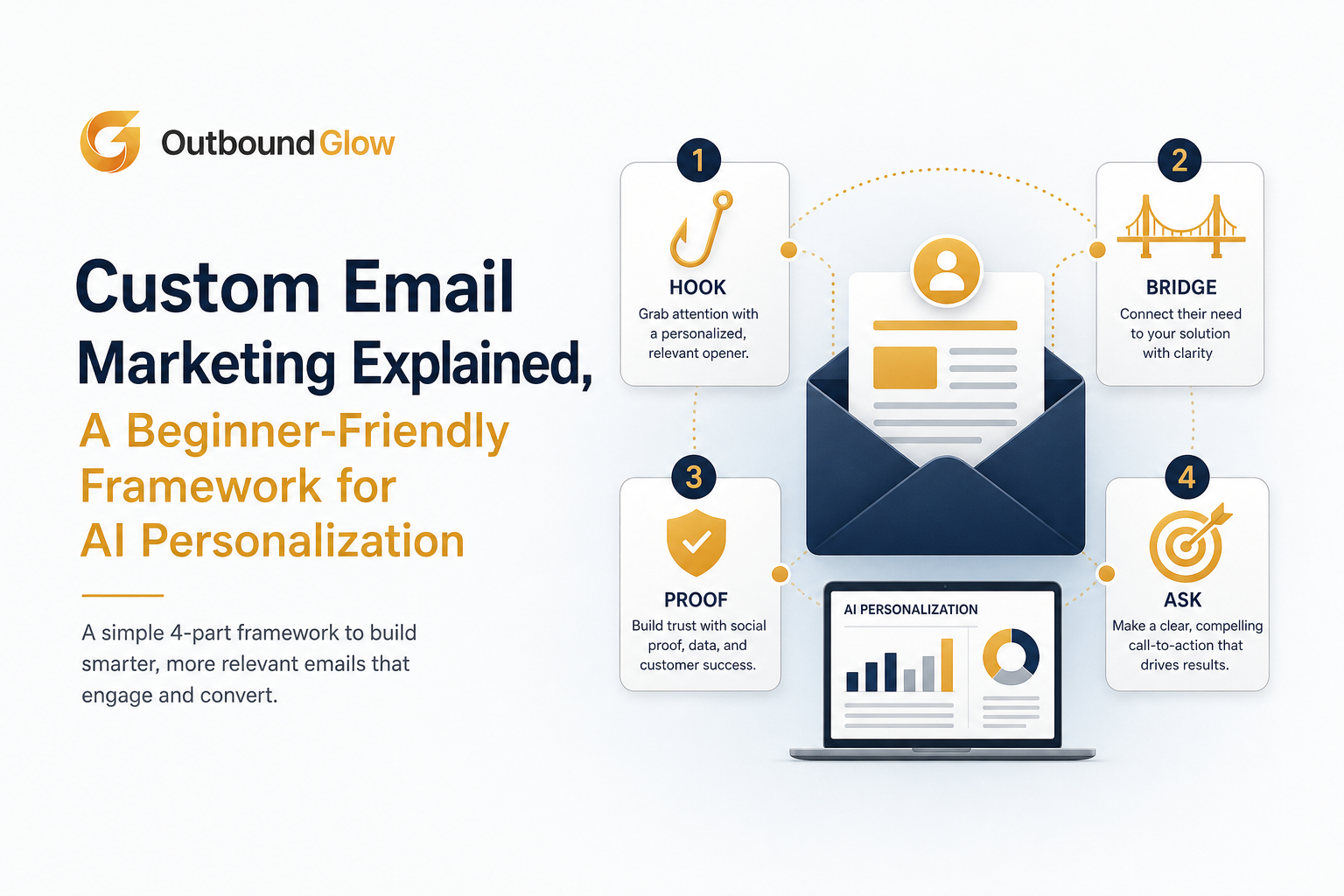
The 4-part personalization stack: hook, bridge, proof, and ask.
The 4-part personalization stack (what changes per segment)
Hook: the specific observation that proves you did your homework.
Bridge: why that observation connects to a business problem you solve.
Proof: one relevant result, mechanism, or example that matches their world.
Ask: a low-friction next step aligned to buying stage.
Concrete before-and-after (same product, different segment)
Segment A: Founder-led outbound at early-stage SaaS
Hook: “Saw you are the one running outbound personally.”
Bridge: “Manual research becomes the bottleneck after the first 50 prospects.”
Proof: “A system that finds one unique hook per lead and keeps follow-ups consistent.”
Ask: “Want a 7-minute teardown of your current sequence?”
Segment B: RevOps at a mid-market team
Hook: “Noticed you are migrating systems and standardizing data.”
Bridge: “Personalization fails when fields are inconsistent and sequences drift.”
Proof: “A structured signal taxonomy and QA checklist that prevents bad merges and broken logic.”
Ask: “Want the taxonomy template?”
How AI fits without making emails feel fake
AI becomes useful when it does two jobs: (1) research and extract relevant context, and (2) draft variations that follow your rules. Avoid “write me a cold email” prompts. Instead, feed AI the signal, the segment, and the required structure (hook, bridge, proof, ask). That is how custom email marketing stays consistent while still feeling specific.
If you want a deeper, practical system for prospect-specific hooks and follow-ups, see cold email personalization.
Actionable takeaway: Lock the structure first, then vary only the hook, bridge, proof, and ask. If everything changes, you cannot test or improve.
Framework step 3: Send in a domain-safe way (deliverability is part of personalization)
Even the best custom email marketing fails if your messages land in spam or your domain reputation drops. Deliverability is not a separate project. It is the constraint that makes personalization sustainable.
Domain-safe sending rules (a starter set)
Start low, ramp slowly: New domains should increase volume gradually. Sudden spikes look suspicious to mailbox providers.
Keep templates truly unique: Repetitive phrasing across hundreds of emails can trigger filters. Personalization helps because it reduces identical content.
Use list hygiene as a gate: Validate emails, remove risky addresses, and monitor hard bounces weekly.
Control follow-ups: Stop sequences when prospects reply, and avoid stacking too many touches too quickly.
A simple QA checklist before you launch
Does the email reference a real, verifiable signal (not a vague compliment)?
Does the bridge connect that signal to a business problem in one sentence?
Is the CTA low-friction and specific (10 minutes, teardown, template)?
Do you have a safety metric threshold (hard bounce rate, spam complaints) that pauses sending?
How to evaluate results without fooling yourself
Compare performance by segment, not by “campaign.” Customization often helps one segment more than others.
Track positive reply rate and meeting-set rate. A spike in “not interested” replies can still mean your targeting is off.
Use controlled tests: keep the offer constant and test one variable (hook type, proof type, CTA) per iteration.
For a broader view of sequencing, targeting, and list management, read cold outreach.
Actionable takeaway: Define a “red line” for domain health (for example, a hard bounce threshold) and automate a pause when you cross it. Protecting deliverability protects your future results.
Custom email marketing checklist you can copy
Strategy (15 minutes)
Define one primary outcome: replies, meetings, purchases, renewals.
Pick one safety metric: hard bounces or spam complaints.
Choose 6 to 10 segments max and write a one-line angle for each.
Signals (60 minutes)
Pick 2 Tier 1 intent signals you can reliably find.
Pick 2 Tier 2 fit signals that filter out bad matches.
Pick 1 Tier 3 personal context source (optional) for high-value accounts.
Message (90 minutes)
Write a standard structure: hook, bridge, proof, ask.
Create 2 proof types: a metric-driven proof and a mechanism-driven proof.
Create 2 CTA types: “quick call” and “send template/checklist.”
Sending (30 minutes)
Validate the list and remove risky addresses.
Set ramp rules and caps per day per inbox.
Set stop rules for replies and safety thresholds.
Actionable takeaway: If you can complete this checklist, you have a working custom email marketing system you can iterate weekly.
Next in our series
Cold Email Personalization: A Practical System to Get Replies Without Burning Time
Cold Outreach, Explained: A Practical System to Get Replies Without Burning Your List (2026)
Bounce Rate Definition in Cold Email Plus the Only Breakdown That Matters
Standard Email Open Rates Are Less Trustworthy Than You Think: What the 2026 Data Suggests
FAQ about custom email marketing
Is custom email marketing only for cold emails?
No. You can apply it to onboarding, activation, renewals, and win-back flows. The same principle applies: tailor the hook, proof, and ask to the recipient’s context and stage, then measure the outcome you care about.
What is the minimum data I need to start?
Start with role, industry, and one intent signal you can reliably capture, such as hiring or a product launch. That is enough to create 6 to 10 segments and change the angle and CTA. Add deeper context only after you can measure lift.
How do I personalize without hurting deliverability?
Keep volumes controlled, validate lists, and avoid sending identical templates at scale. Personalization helps because it increases content uniqueness, but you still need ramp rules and stop rules when safety metrics worsen.
How many segments is too many?
If you cannot maintain a clear angle and proof point for each segment, you have too many. Most small teams do well with 6 to 10 segments and 2 variants per segment. Expand only when you can attribute results and keep quality high.
If you want to automate the research and drafting parts of this framework while keeping domain health protected, see how Outbound Glow supports AI-personalized outbound workflows from prospect context to ready-to-review drafts, so you can scale custom email marketing without turning your inboxes into a deliverability experiment.
Read Next
View all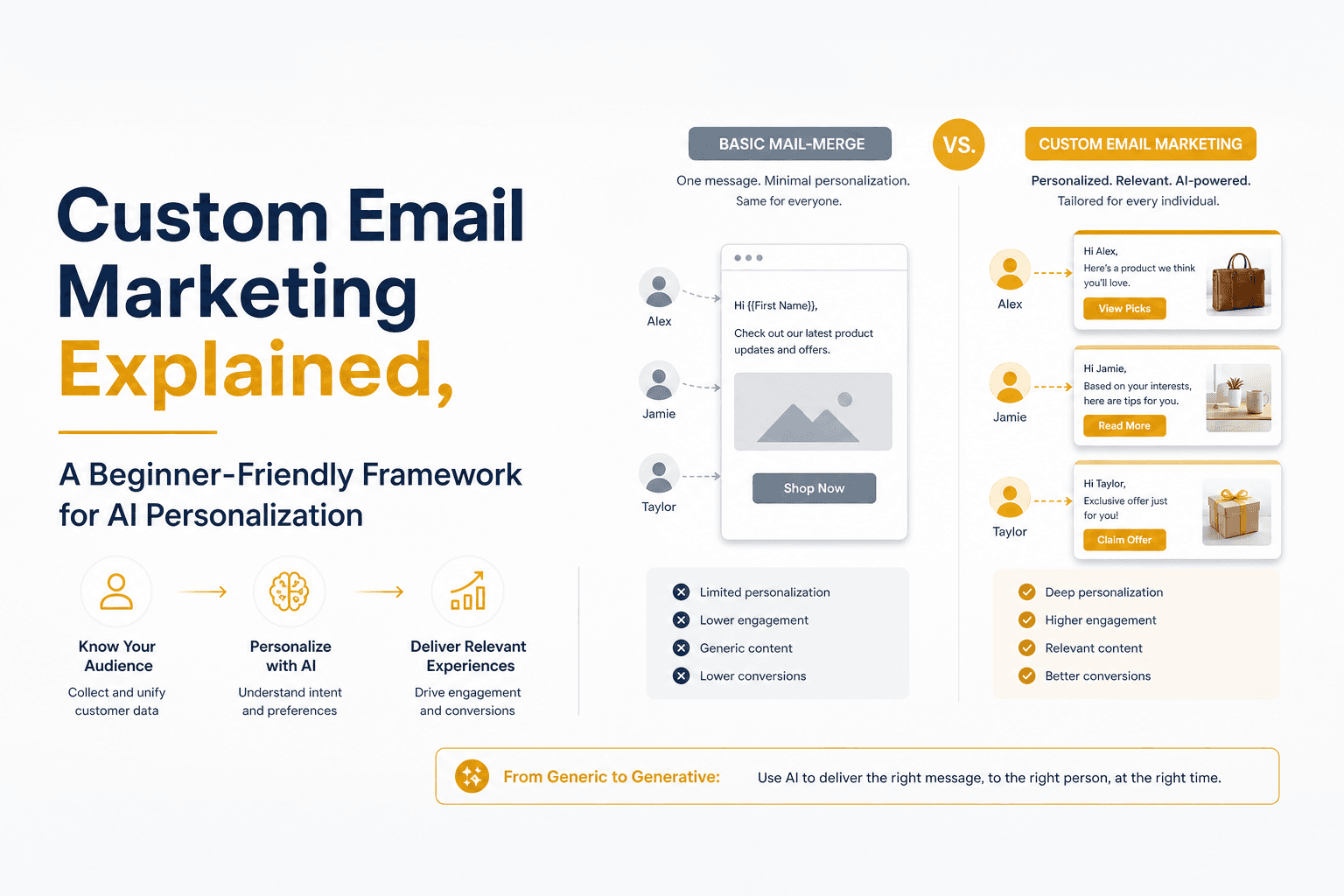
Custom Email Marketing Explained, A Beginner-Friendly Framework for AI Personalization In 2026


AI for Email Marketing, A Practical Workflow for Free Tools, Prompts, and Automation
Practical AI usage for email marketing workflow: map use cases, draft safely with prompts, automate triggers, measure revenue lift, and protect deliverability.
Cold Email Personalization Explained, A Simple Framework That Actually Gets Replies
Learn cold email personalization with a simple framework, 10 easy fields to personalize, and tips to scale safely without hurting deliverability.