
Cold Outreach Automation Without Burning Your Domain, A Beginner-Safe Framework

If your cold email results feel random, the problem usually is not effort, it is a lack of system. Cold outreach automation can help you send consistent sequences and follow-ups, but if you automate the wrong parts first, you can burn your domain, spike bounces, and train your team to ignore the real signal: whether the market actually wants what you offer. This guide explains what cold outreach automation really means, what to automate first, and a beginner-safe framework to scale volume only after targeting, data quality, messaging, and deliverability are under control.
Key takeaways you can apply today
Automate sequencing and follow-ups only after you validate targeting and list quality, otherwise you scale bad inputs.
Protect deliverability with guardrails (authentication, warmup, bounce control, and auto-pause thresholds) before you increase daily volume.
Keep high-leverage human steps human: ICP decisions, offer clarity, and first-line relevance checks for new segments.
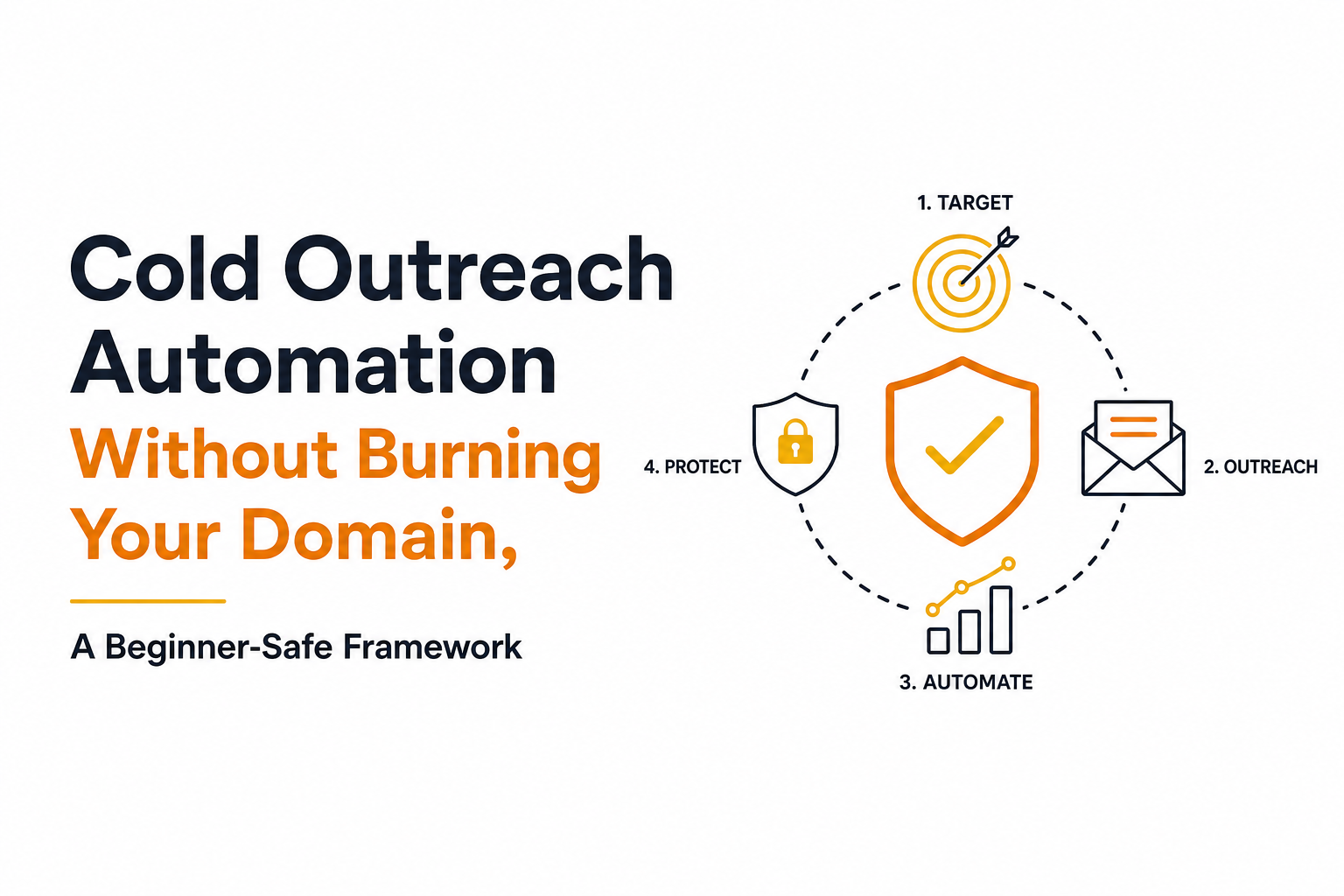
A risk-managed cold outreach automation workflow from targeting to deliverability guardrails.
What cold outreach automation actually means (and what it doesn’t)
Cold outreach automation is the use of software and rules to run repeatable outbound workflows (lead sourcing, list preparation, multi-step sequences, scheduling, follow-up logic, reply handling, and reporting) so you can generate conversations without doing every step manually.
What it includes in practice
Sequencing: multi-step emails with delays, stop-on-reply, and optional channel rules (for example, skip weekends).
List operations: importing, deduping, verifying, segmenting by role, industry, and company size.
Personalization at scale: templated variables plus rules for adding a relevant first line when you have reliable inputs.
Deliverability monitoring: authentication checks, warmup, bounce and complaint monitoring, and safe-send limits.
Workflow automation: routing replies, labeling intent, and updating lead status.
What it does not include (common misconceptions)
It is not “send more emails.” Volume amplifies whatever you already have: good targeting or bad targeting.
It is not a substitute for offer clarity. If your message does not answer “why you, why now,” automation just repeats confusion.
It is not permission to ignore deliverability. Inbox placement is a system with constraints, not a setting.
The outcome you should expect
AI-assisted cold outreach automation can enrich prospect records with verified company details, generate personalized subject lines and email sequences, and suggest follow-ups based on campaign activity. A copilot prepares these actions for human review, while an autonomous AI agent can execute prospecting and sequencing with less supervision. Beginners should approve targeting, generated claims, and initial messages manually, then automate predictable tasks such as scheduling and stop-on-reply.
Actionable takeaway: Before you automate anything, write down your “stop rules” (stop on reply, stop on hard bounce, stop on unsubscribe). Those rules prevent the most common beginner mistake: continuing to send follow-ups to people who already signaled “no.”
Why cold outreach automation matters for founders and small teams
Manual outbound breaks at surprisingly low volume. You can write great emails, but if you cannot reliably source leads, verify addresses, follow up on time, and protect deliverability, your results will swing week to week.
Two data points that explain the risk
Gartner has projected that by 2025, 80% of B2B sales interactions between suppliers and buyers will occur in digital channels. That shift increases the value of reliable outbound systems because email is often the first digital touch. Source: Gartner press release.
Deliverability failures compound quickly. Even a small increase in bounces or spam complaints can reduce inbox placement, which then lowers opens, which then lowers replies, which can further hurt sender reputation. Most platforms recommend keeping bounce and complaint rates low and monitoring them daily when scaling.
The real benefit is controlled experimentation
A founder can automate scheduled follow-ups and stop sequences when prospects reply, freeing time for sales conversations. A small sales team can enroll verified, ICP-matched leads automatically and route interested replies to the right representative. An agency can manage separate client segments and sequences from one workflow, comparing campaign performance without manually tracking every send. In each case, automation reduces repetitive work while making follow-ups more consistent and campaign adjustments easier to measure.
Actionable takeaway: Treat outbound like a lab. Automate the repetitive steps so your attention stays on the hypotheses: who you target, what you offer, and how you position it.
The 4-part cold outreach automation system that scales safely
If you want a risk-managed approach, think of cold outreach automation as four connected components. You only scale safely when all four are “green.” If one is “red,” automation will magnify the damage.
Component 1: Targeting (ICP and segment design)
Targeting is not “anyone who might buy.” It is a precise definition of who has the problem, feels it urgently, and can take a meeting. Start with 1 to 2 segments only.
Minimum targeting fields: role, industry, company size, geography, and a trigger (hiring, funding, tech stack, recent initiative).
Segment rule: if the reason-to-care changes, it is a new segment. Do not mix segments in one sequence.
If you need a deeper walkthrough of building segments and triggers, read How to research prospects for cold email.
Actionable takeaway: Write one sentence per segment: “I help [role] at [company type] who struggle with [pain] because of [trigger].” If you cannot write it, do not automate it.
Component 2: Data quality (list hygiene and verification)
Bad data is the fastest way to burn a sending domain. You cannot “copywrite” your way out of invalid addresses or mismatched personas.
Hygiene checklist: dedupe across all lists, remove role accounts (info@, sales@) unless intentional, standardize company names, and verify emails before sending.
Quality gates: require a valid email, a real first name, and at least one personalization field you trust (for example, role or tech stack).
Also learn how bounce signals work and what thresholds matter in cold email in bounce rate definition.
Actionable takeaway: Do not launch a sequence until your list passes a simple rule: “If this bounced, would I be surprised?” If the answer is no, fix the list.
Component 3: Messaging (offers, sequences, and relevance)
Automation makes messaging look easier than it is. Your goal is not “a clever email,” it is a clear reason for the right person to reply.
Offer clarity: one outcome, one proof point, one call to action. If you have multiple offers, pick one per segment.
Sequence structure: 3 to 5 touches over 10 to 18 days is a common starting point for many B2B motions, with stop-on-reply enabled.
Personalization rule: personalize only what you can verify. Fake specificity is worse than none.
For a practical system to make messages feel one-to-one without spending hours per lead, see cold email personalization.
Actionable takeaway: Before you automate copy, run a “five-person test”: send your draft to five people who match the role and ask what they think you sell. If they cannot answer in one sentence, rewrite.
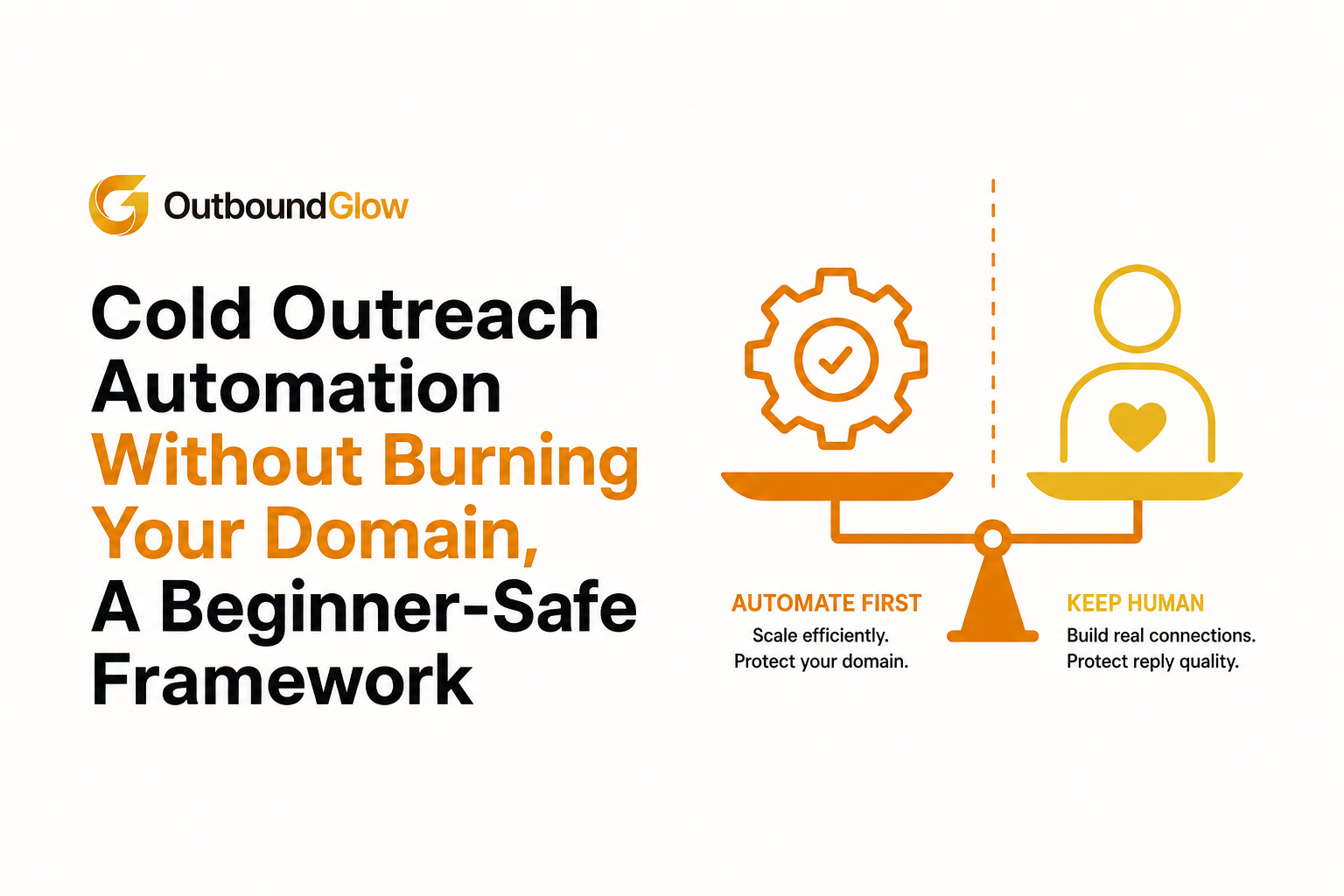
What to automate first vs what to keep human to protect reply quality and domain health.
Component 4: Deliverability guardrails (domain health and safe scaling)
Deliverability is the constraint that decides whether your automation works. Guardrails are the rules that keep you from scaling into spam folders.
Foundation: set up SPF, DKIM, and DMARC; use a dedicated sending domain; keep sending consistent.
Warmup: ramp volume gradually, monitor engagement signals, and avoid sudden spikes. If you are unsure whether you need it, read email warmup.
Throttle rules: daily caps per inbox, spacing between sends, and auto-pause if bounce or complaint signals rise.
Stop conditions: stop sequences immediately on reply, unsubscribe, or hard bounce.
Actionable takeaway: Create a “scale checklist” that must be true before you increase volume: stable bounce rate, stable reply rate, and no deliverability alerts for 7 days.
What to automate first vs keep human so replies don’t drop
The safest way to adopt cold outreach automation is to automate the repetitive operations first, then add intelligence. Keep judgment-heavy steps human until you have stable inputs and a working baseline.
Automate first (low risk, high leverage)
Follow-up scheduling: consistent delays, skip weekends, and stop-on-reply.
List deduping and segmentation rules: prevents double-sending and mixed messaging.
Basic personalization variables: first name, company name, role, and a single verified trigger.
Reply routing: label replies by intent (positive, neutral, negative) and assign next steps.
Keep human (until you have proof it works)
ICP decisions and new segment selection: humans decide the bet; automation executes it.
Offer positioning: humans define the promise and proof; automation repeats it consistently.
First-line relevance checks for new lists: spot-check 20 leads before sending 2,000.
A simple “automation maturity” rule
Only automate a step when you can describe it as a rule with clear inputs and outputs. If you cannot write the rule, you will automate inconsistency.
Actionable takeaway: Choose software based on the workflow you actually need, not the number of features advertised. Check for sequence building, scheduled follow-ups, verified contact data, AI personalization controls, inbox and reply management, and deliverability alerts. Then compare mailbox limits, pricing per seat or usage, CRM and lead-source integrations, compliance controls, and the ability to pause campaigns automatically. An all-in-one prospecting platform suits teams that need lead discovery and sequencing together; a specialized sequencer may be better when you already have reliable data and a separate deliverability setup.
A beginner-safe launch plan you can run in 7 days
This plan assumes you want results without gambling your domain. It prioritizes learning and stability over volume.
Day 1: Define one segment and one offer
Choose one role and one company profile.
Write a one-sentence offer with a single call to action (for example, “Worth a 10-minute chat?”).
Day 2: Build a small, clean list (50 to 150 leads)
Collect leads with consistent fields.
Verify emails and remove anything questionable.
Day 3: Write a 3-step sequence
Email 1: clear relevance + offer.
Email 2: short bump that adds one proof point.
Email 3: polite close-the-loop.
Day 4: Set deliverability guardrails
Confirm authentication is correct.
Set conservative daily limits and spacing.
Enable stop-on-reply and auto-pause rules.
Days 5 to 7: Launch small, review daily, iterate once
Check bounces, unsubscribes, and replies daily.
Change only one variable at a time: subject line or first email body, not both.
Actionable takeaway: Your first goal is not scale. Your first goal is a stable baseline you can improve without risking deliverability.
Cold outreach automation checklist you can copy
Targeting
[ ] One segment, one reason-to-care, one offer
[ ] Segment fields defined: role, industry, company size, geography, trigger
[ ] 20-lead spot check confirms the segment is real
Data quality
[ ] Emails verified before sending
[ ] Dedupe across all lists and past campaigns
[ ] Role accounts removed unless intentional
[ ] Personalization fields are trustworthy and consistent
Messaging
[ ] Email 1 explains relevance in the first 2 lines
[ ] One proof point included (customer type, result, or credible signal)
[ ] One call to action, easy to say yes or no
[ ] Sequence has 3 to 5 touches with stop-on-reply
Deliverability guardrails
[ ] SPF, DKIM, DMARC configured
[ ] Warmup and ramp plan in place
[ ] Conservative daily caps per inbox
[ ] Auto-pause rules for bounce and complaint signals
Actionable takeaway: If you cannot check every box, reduce volume and fix the inputs. Cold outreach automation rewards discipline more than speed.
FAQ about cold outreach automation
How many emails should I send per day when starting cold outreach automation?
Start conservatively and increase gradually after you confirm low bounces and stable replies. A safe approach is to ramp in small steps per inbox rather than jumping to high daily volume in week one.
Will cold outreach automation hurt my domain?
It can if you automate scale before list verification, authentication, and guardrails. If you keep data quality high, ramp volume gradually, and auto-pause on negative signals, automation can be safer than manual sending.
What should I personalize in automated cold emails?
Personalize only what you can verify, like role, company, and a real trigger. Avoid invented “research” lines because they reduce trust and can increase negative replies.
How do I know if my targeting is wrong vs my copy is wrong?
If the right roles open but do not reply, messaging and offer clarity are likely the issue. If replies say “not relevant” or you consistently hit the wrong department, fix targeting and segmentation before rewriting the entire sequence.
If you want to implement this framework without stitching together five tools, Outbound Glow helps you run cold outreach automation with built-in guardrails, AI-assisted personalization, and sequencing that stops the moment a prospect replies. See how it can automate the repetitive steps while you keep control of targeting and offer decisions.

Written by Leah Nguyen

Instantly Alternative Guide - Pricing, Deliverability, and Best Fit by Use Case
Compare an instantly alternative using a deliverability rubric, true free tiers, and real total cost across solo, team, and agency setups.

Cold Outreach Automation That Actually Scales, The Analytics Framework by Industry
Cold outreach automation that scales needs the right metrics. Use this industry scorecard to track deliverability, qualified replies, and pipeline.

Smartlead Alternative Guide Ranked Options and Real World Pricing Scenarios
Decision-ready smartlead alternative guide with ranked options, normalized pricing scenarios, AI matrix, and a switch checklist for cold email teams.