
Email Analytics for Cold Outreach Explained With a Simple 3-Layer Framework

Email analytics often looks simple until you run cold outreach at scale and realize your “good” open rate can hide bad targeting, poor deliverability, or replies that never turn into meetings. This guide breaks email analytics down into a practical system you can use to diagnose what is happening, decide what to change, and improve results without risking your domain reputation. You will learn what to measure, what to ignore, and how to connect sends to qualified replies, meetings booked, and revenue outcomes.
Key takeaways
Email analytics for cold outbound should separate deliverability health, engagement signals, and conversion outcomes so you do not optimize the wrong layer.
Open rates are increasingly unreliable, so prioritize bounce and spam signals, qualified replies, and meeting velocity as your core decision metrics.
Use a consistent weekly review workflow: diagnose the layer that is broken, run one controlled change, and protect domain health with list hygiene and pacing.
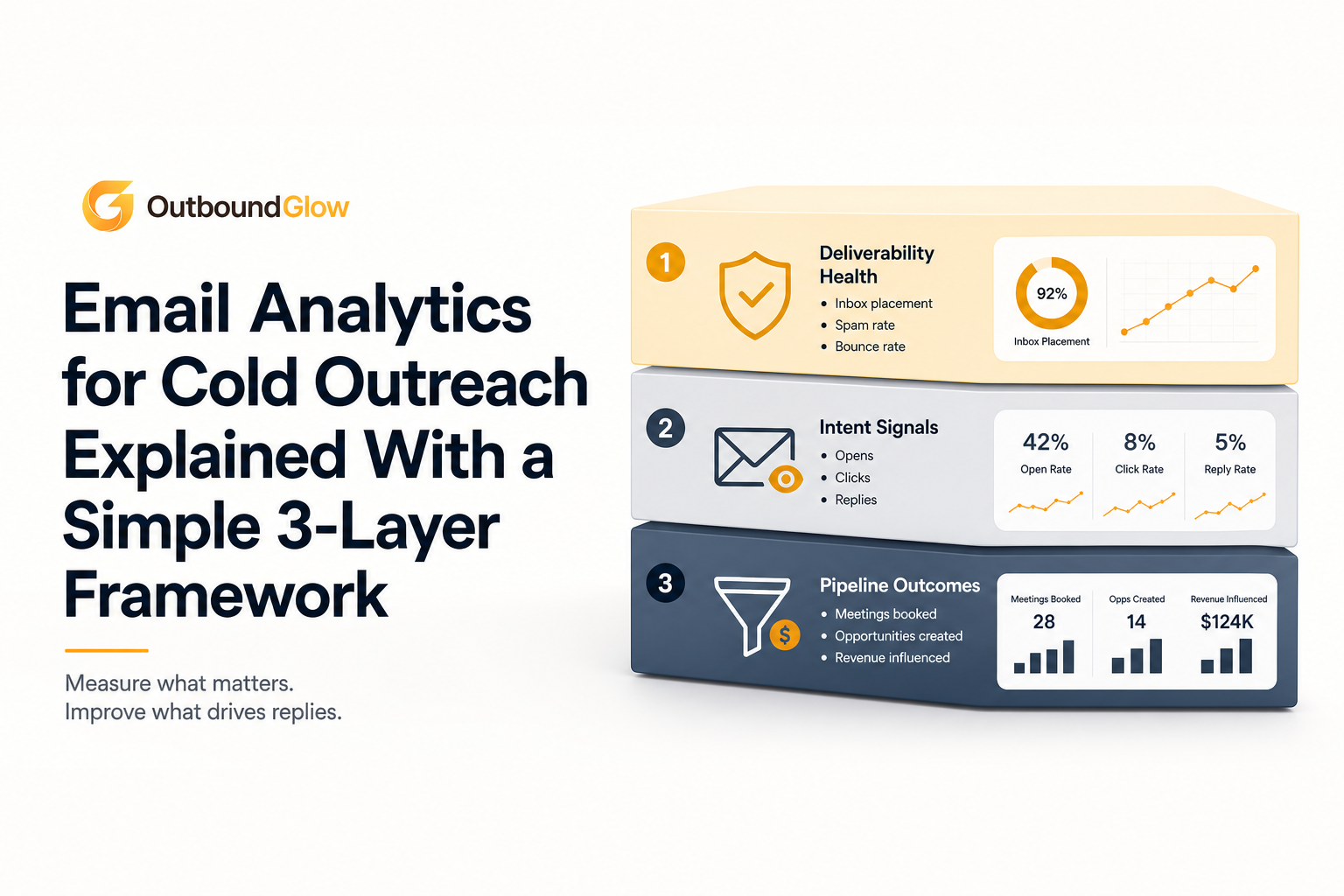
A simple view of the three layers: deliverability health, intent signals, and pipeline outcomes.
What email analytics means in cold outreach (and what it doesn’t)
Email analytics is the measurement of deliverability, engagement, and conversion signals from outbound emails to understand what is working, what is failing, and what to change to generate qualified pipeline without harming sender reputation.
What it includes for cold outbound
Deliverability health: bounces (hard vs soft), spam complaints, inbox placement proxies, domain and mailbox reputation signals, and sending volume patterns.
Engagement signals: replies (categorized), link clicks (when relevant), and time-to-first-reply.
Conversion outcomes: qualified replies, meetings booked, opportunities created, and closed-won attribution back to a sequence or message.
What it does not mean (common traps)
It is not “open rate optimization.” Open tracking relies on pixels that can be triggered by security scanners and privacy features, inflating or distorting results. For context on why, see standard email open rates.
It is not counting every reply as success. “Unsubscribe,” “stop,” and out-of-office messages can inflate reply rate without creating pipeline.
It is not a dashboard for its own sake. If a metric does not change a decision you make this week, it is noise.
A simple definition of “good” in cold email analytics
Good email analytics answers three questions quickly:
Are we landing in inboxes safely? (health)
Are the right people showing intent? (interest)
Is that intent turning into meetings and pipeline? (outcomes)
Actionable takeaway: Before you change copy or add follow-ups, decide which of the three questions is currently failing. That prevents random “tweaks” that create risk without learning.
Why email analytics matters more than open rate alone
Open rates are less trustworthy than most teams assume
Many email security tools and privacy protections prefetch or scan email content, which can trigger tracking pixels. That means “opens” can represent automated activity rather than human attention. Gartner has noted that privacy changes reduce the accuracy of email engagement measurement, pushing teams to use broader outcome metrics instead of open rates alone. See: Gartner guidance on privacy and measurement.
Vanity metrics create the wrong optimizations
When teams chase opens, they often:
Use clickbait subject lines that attract the wrong audience.
Send more volume to “fix” a weak reply rate, which increases bounce and complaint risk.
Ignore list quality until deliverability collapses.
Outcome metrics let you scale without guessing
Cold outreach only matters if it creates a predictable sales pipeline. Email analytics helps you connect each sequence to meetings booked and qualified opportunities so you can scale what works and stop what harms reputation.
Actionable takeaway: If you track only one “north star” metric beyond deliverability, pick meetings booked per 1,000 delivered and review it weekly by segment and sequence.
The 3-layer email analytics framework for cold email
This framework keeps your analysis clean. You diagnose the layer that is broken, then make one change that should move that layer, then re-check outcomes.
Layer 1: Deliverability health (can your emails land?)
Start here because poor deliverability makes every other metric meaningless. Track:
Bounce rate: Separate hard bounces (invalid address) from soft bounces (temporary). If you need a practical breakdown and what to do, see bounce rate definition.
Spam complaint signals: Any upward trend is a stop sign. Reduce volume, tighten targeting, and improve relevance immediately.
Sending consistency: Big spikes in volume can trigger filtering. Keep daily volume changes controlled.
Interpretation rule: If bounces or complaints rise, do not “write better copy” first. Fix list hygiene and pacing first.
Layer 2: Engagement and intent (are real people interested?)
Once health looks stable, focus on human response signals:
Reply rate by category: Split into positive, neutral, negative, unsubscribe, and out-of-office. A high “reply rate” with mostly unsubscribes is a targeting problem.
Time-to-first-reply: Faster replies often indicate stronger message-market fit. Track median hours to first positive reply.
Question density: Count replies that ask a specific question (pricing, integration, timeline). That is often more predictive than clicks.
Interpretation rule: If you get replies but few are positive, improve ICP targeting and the first two lines of the email before changing cadence.
Layer 3: Conversion outcomes (does it turn into meetings and pipeline?)
Cold outbound success is measured in outcomes, not engagement. Track:
Qualified reply rate: Replies that express interest, ask relevant questions, or accept a meeting request.
Meetings booked rate: Meetings booked per 1,000 delivered, and per 1,000 opened if you still track opens.
Meeting velocity: Median days from first send to meeting booked.
Opportunity and closed-won attribution: Which sequence and segment created the opportunity.
Interpretation rule: If qualified replies are healthy but meetings booked are low, your booking step is broken (calendar friction, unclear CTA, weak follow-up, or poor handoff).
Actionable takeaway: Build a weekly scorecard with 2 metrics per layer. If a metric does not change your decisions, remove it.
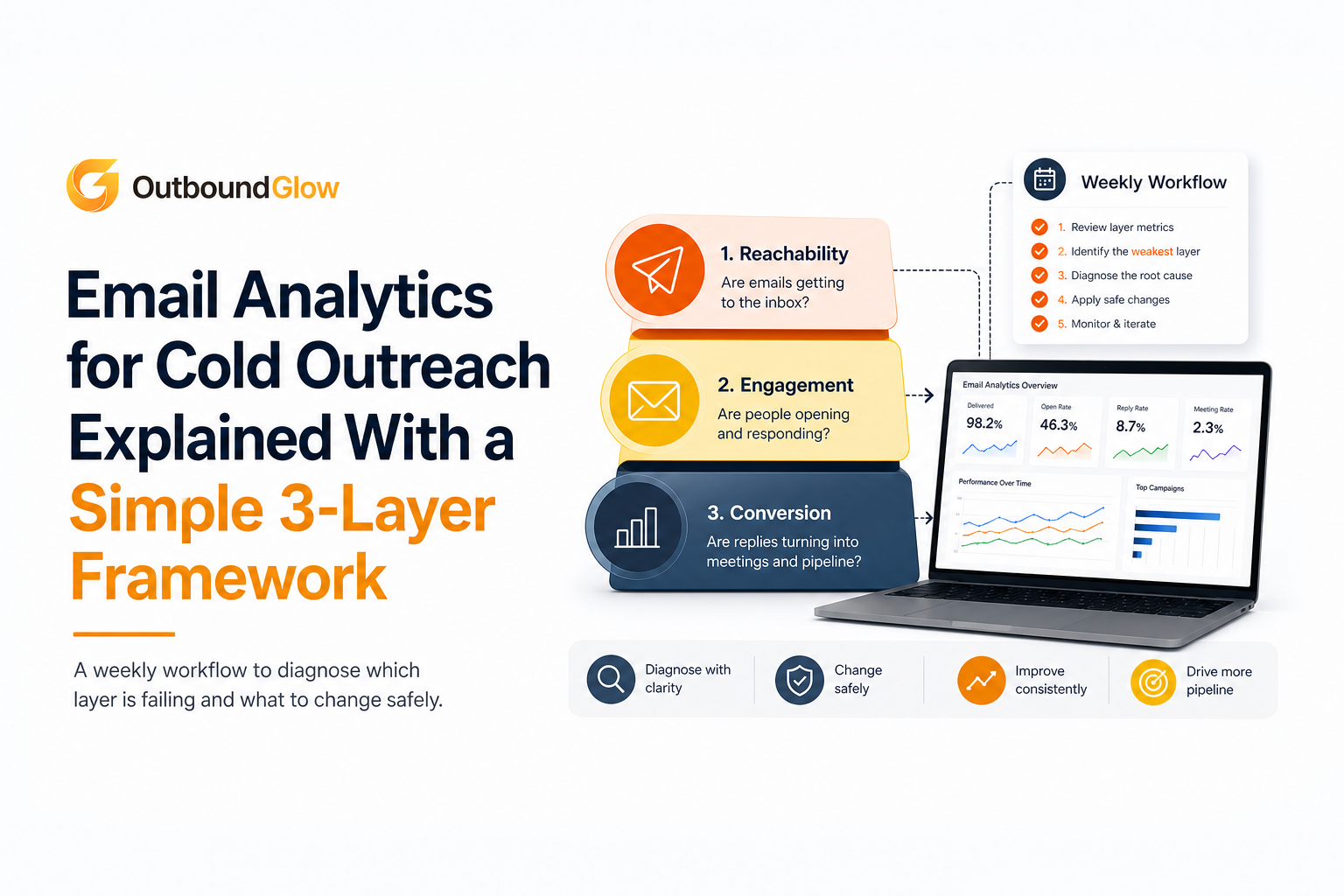
A weekly workflow to diagnose which layer is failing and what to change safely.
How to use email analytics to improve results without burning your domain
Email analytics only matters if it drives safe actions. Use this decision tree: diagnose the layer, run one controlled change, then re-measure for 5 to 7 days.
If Layer 1 is failing: fix list hygiene and pacing first
High hard bounces: tighten verification, remove risky sources, and stop sending to catch-all heavy domains until you clean the list.
Rising soft bounces: slow volume and spread sends across days, then re-check.
Spam signals: narrow targeting, reduce frequency, and improve relevance in the first sentence.
Also review your sender setup and ramping. If you are scaling a new domain or mailbox, a structured email warmup plan can reduce risk, but it cannot compensate for poor list quality.
If Layer 2 is failing: improve targeting and the “hook” before adding volume
Run a segmented analysis using the same email across different slices:
Segment by role: founder vs VP Sales vs RevOps. Track positive reply rate by role.
Segment by industry: keep one industry per sequence when possible.
Segment by company size: your offer can feel irrelevant if the company is 10x larger or smaller than your best-fit range.
Then change only one variable:
First line relevance: replace generic compliments with a specific trigger (hiring, tech stack, recent funding, job post).
Offer clarity: one outcome, one proof point, one CTA.
CTA type: test “Worth a quick chat next week?” vs “Should I send a 2-minute teardown?”
Actionable takeaway: If positive replies do not increase after two copy iterations, stop editing and revisit ICP and list sources.
If Layer 3 is failing: fix conversion mechanics and follow-up logic
When people show interest but do not book meetings, look for friction:
Calendar friction: too many steps, limited availability, unclear timezone.
Weak meeting framing: the prospect does not know what they get in 15 minutes.
Slow response time: time kills intent. Track median hours to reply after an interested response.
Improve with a simple booking sequence:
Reply within 1 to 3 business hours.
Confirm the goal of the call in one sentence.
Offer two time windows plus a calendar link.
Actionable takeaway: Add a “meeting booked rate” view by rep and by sequence. If one rep converts far better, copy their booking language and speed standards.
Email analytics metrics map and what each one tells you
Use this map to avoid overreacting to a single metric. It also helps you explain results to a co-founder or sales lead in five minutes.
Metric | Layer | What it usually indicates | First action to test |
|---|---|---|---|
Hard bounce rate | Health | Bad data, invalid addresses, list source issues | Re-verify list, remove risky sources, tighten filters |
Soft bounce rate | Health | Throttling, temporary mailbox issues, volume too high | Reduce daily sends, smooth sending schedule |
Spam complaint signals | Health | Low relevance, poor targeting, too aggressive cadence | Narrow ICP, reduce follow-ups, rewrite first line |
Reply rate (raw) | Intent | Overall engagement, but can be inflated by OOO/unsubs | Split replies by category before making decisions |
Qualified reply rate | Outcome | Message-market fit and targeting quality | Adjust ICP segments, test one new hook |
Meetings booked per 1,000 delivered | Outcome | End-to-end effectiveness of sequence and booking flow | Improve booking response speed and meeting framing |
Median days to meeting (velocity) | Outcome | Follow-up quality, timing, and CTA clarity | Tighten follow-up timing, simplify CTA |
A weekly email analytics checklist you can reuse
Step 1: Confirm deliverability health (10 minutes)
Check hard and soft bounces by domain and list source.
Scan for spam complaint warnings or sudden drops in delivery.
Confirm sending volume did not spike compared to last week.
Step 2: Review intent signals by segment (15 minutes)
Break replies into: qualified, neutral, negative, unsubscribe, OOO.
Compare qualified reply rate across roles and industries.
Identify the top 1 to 2 subject lines and first lines by qualified replies, not opens.
Step 3: Review outcomes and velocity (15 minutes)
Meetings booked per 1,000 delivered by sequence.
Median time from first send to meeting booked.
Interested replies that did not convert to a meeting, and why (no response, scheduling conflict, not now).
Step 4: Choose one experiment (5 minutes)
If health is weak: change list source or pacing.
If intent is weak: change ICP slice or the first two lines.
If outcomes are weak: change booking CTA and response time standard.
Actionable takeaway: Keep a simple change log: date, hypothesis, one change, and the two metrics you expect to move. This turns email analytics into a learning system, not a guessing game.
The next article in the series
Use these guides to go deeper on the parts that usually break first when scaling cold outbound:
standard email open rates and how to interpret them safely
bounce rate definition and the only breakdown that matters
email warmup explained with a simple decision framework
cold outreach automation without burning your domain
sales pipeline metrics that predict revenue
Email analytics FAQ for cold outreach
What should I track if open rates are unreliable?
Start with deliverability health (hard bounces, soft bounces, spam signals), then track qualified replies and meetings booked per 1,000 delivered. Those metrics tie directly to pipeline outcomes and reduce the chance you optimize for bot activity.
What is a qualified reply in cold email analytics?
A qualified reply shows intent: it asks a relevant question, requests pricing or a demo, or agrees to a meeting. Exclude out-of-office replies and unsubscribe requests so your reporting reflects real interest.
How do I know whether my problem is targeting or copy?
If you see high negative replies or many “not relevant” responses, targeting usually needs work. If the same segment replies positively to one message but not another, copy and offer clarity are the likely issues.
How often should I review email analytics for outbound?
Do a quick deliverability check daily when scaling, then run a deeper weekly review by segment and sequence. Weekly is frequent enough to learn while avoiding overreacting to small sample sizes.
If you want to apply this framework without stitching together spreadsheets, Outbound Glow helps you connect email analytics across deliverability, reply intent, and meetings booked so you can see what is working before you scale. You can start a free trial and use the same 3-layer scorecard to guide your next outbound iteration.

