
AI for Email Marketing, A Practical Workflow for Free Tools, Prompts, and Automation

Most teams get AI email tools backwards. They open ChatGPT, ask for "a welcome email," get something generic, tweak it a bit, and send it. Then they wonder why performance hasn't moved.
The teams that actually see results treat AI as one step in a larger system and not the whole system. Making mapping every email to a real business goal first, drafting with real guardrails, automating only what you can actually govern, and measuring lift in a way that isn't just vanity metrics dressed up as strategy.
I have tried several approach to this matter and here's how that looks in practice.
Start With the Job, Not the Tool
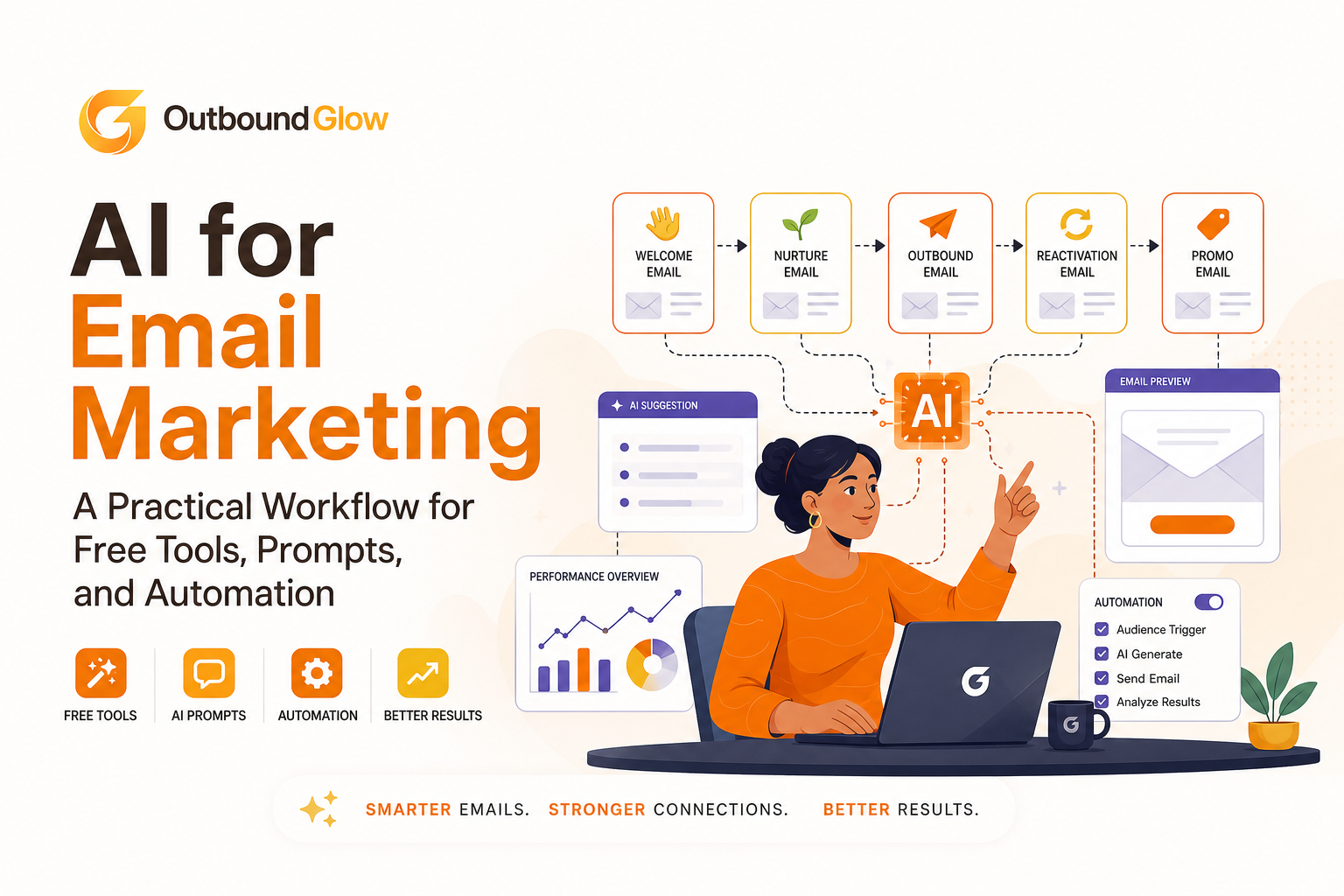
Before you write a single prompt, every email type on your calendar needs three things: one job, one KPI, and a defined set of inputs AI is allowed to touch. Skip this step and you'll end up with polished copy that has no idea what it's supposed to accomplish.
Here's roughly how that breaks down across the emails most companies send:
Welcome: the job is activation (SaaS) or a first purchase (ecommerce). What AI needs to know: where the signup came from, who the person is, what the landing page promised, and what "first use" actually looks like.
Nurture: the job is getting someone to book a demo, start a trial, or place a repeat order. Feed it your top objections, proof points you can actually back up, and a clear next step.
Outbound: the job is a reply or a meeting. This needs tight ICP rules, a real offer, one or two genuine hooks per prospect, and an opt-out line that's actually there.
Reactivation: the job is getting someone to come back. You'll want their last activity date, what they used or bought, and — if you have it — some sense of why they left.
Promo: the job is revenue per recipient without torching your margin. Give it the offer terms, exclusions, the end date, inventory limits, and your actual brand voice.
What changes by industry
From what I saw, the jobs above don't really change across industries. But what changes is how deep you can personalize and how much compliance risk you're carrying.
In SaaS, the priority is activation and pipeline. You can lean on role, use case, and tech-stack signals, but resist the urge to guess at someone's internal problems just because it sounds smart.
In ecommerce, it's repeat purchases and average order value. Stick to behavior you actually captured: browsing history, past orders, and stay away from inferring things about someone's life that you can't actually know.
In services, it's qualification more than anything. Lean on public information: their niche, something they published recently, a job posting paired with a narrow, specific offer.
The job spec, before you write anything
Write this down before you touch a prompt:
One KPI, stated in a single sentence. "Book a 15-minute discovery call" — not "drive engagement."
Allowed and forbidden fields. Decide exactly what data AI can reference (industry, role, last purchase) and what's off-limits (health, family, precise location unless it's actually relevant).
Voice constraints. Three adjectives that describe your tone, and three things the copy should never do — never guilt-trip, never overclaim, never reference scraped data directly.
Approval policy. Outbound and promo emails should basically always get human eyes before sending. Reactivation too, if there's a discount attached..
Getting Good Drafts Out of ChatGPT
ChatGPT works well here when you give it structure instead of vibes. Loose prompts get loose copy. A defined brief with real guardrails gets something you can actually ship, or at least something close.
A prompt structure that's held up well:
You are an email copywriter.

JOB: [welcome/nurture/outbound/reactivation/promo]
INDUSTRY: [SaaS/ecommerce/services]
AUDIENCE: [ICP segment in one line]
OFFER: [what you want them to do]
PROOF: [only verified facts you can stand behind]
CONTEXT FIELDS (may use):
- [field 1: value]
- [field 2: value]
FORBIDDEN (must not mention or imply):
- [forbidden topic 1]
- [forbidden topic 2]
BRAND VOICE:
- Tone: [3 adjectives]
- Reading level: [e.g., Grade 8-10]
- Length: [e.g., 90-130 words]
OUTPUT:
1) Subject line: 5 options, no spam words
2) Email body: plain text, short paragraphs
3) One-sentence rationale for personalization
4) Compliance notes: list any risky claims or data use
A few things that make the output sound less like a machine wrote it:
Pick one idea per email. Ask the model to commit to a single angle — speed, cost, risk — instead of hedging across three.
Force specifics. Two or three concrete nouns (an actual feature name, a real step in the workflow, a time window) beat vague claims like "revolutionary" every time.
Watch sentence length. If more than half the sentences run past 12 words, it starts to feel like a wall of text instead of an email.
Ban the filler. "Hope you're well." "Just checking in." Forced compliments. These are the fastest way to signal a template.
Before you hit send
A short review pass catches most problems if you run it consistently:
Truth check:every factual claim should trace back to your CRM, your site, or a source you actually gave the model.
Data provenance: make sure the personalization is coming from data you're actually allowed to use.
Claim check: strip out absolute promises, and steer clear of anything that reads like medical, legal, or financial advice.
Opt-out language: present and appropriate for wherever your recipients are.
I ran a two-step review process for a while — AI drafts, then a three-minute human checklist. And from what stood out wasn't just that it caught problems. It was that the same handful of failure modes kept showing up, which made reviewers faster over time because they knew what to look for.
If you're emailing anyone in the EU, it's worth keeping GDPR's lawful-basis and transparency requirements close by when you're deciding what fields you're allowed to personalize with. I used GDPR.eu summaries since it has all the reference needed.
You Don't Need Paid Tools for Most of This
I ventured into a masses of AI tool and a surprising amount of the workflow I experimented runs on free tools, there is a downside of course: as long as each one has a narrow job, they will work stably: the first tool do the drafting,the second takes care of subject line testing, the third handles segment checks, and so on.
Drafting and rewrites: ChatGPT's free tier handles variations and tightening copy fine, as long as you're feeding it a real structure and doing the truth check yourself.
Subject lines: draft with AI, then score them in a spreadsheet: under 50 characters, one clear benefit, no spam trigger words.
Segmentation checks: a Google Sheet with filters will catch bad segment logic before it ever hits your ESP.
UTM hygiene: a simple tracking template so every campaign is attributable later.
A/B testing: most ESPs include basic split testing on subject lines or send times even on entry-level plans.
However, there are some limitations when budgeting your tools. They might stops working once you need real workflow logic: things such as branching, triggers, lifecycle automation: which is almost always gated behind paid ESP or CRM plans.
The same goes for team approvals and audit logs, and for deliverability tooling like domain warm-up or automatic pausing when bounce rates spike. And once you want unique personalization across multiple steps for every recipient, doing it by hand becomes its own full-time job.
If your copy still reads as robotic after all this, the fix is usually tightening your prompt structure rather than adding another tool to the stack.
Automation Only Works If It's Tied to Real Events
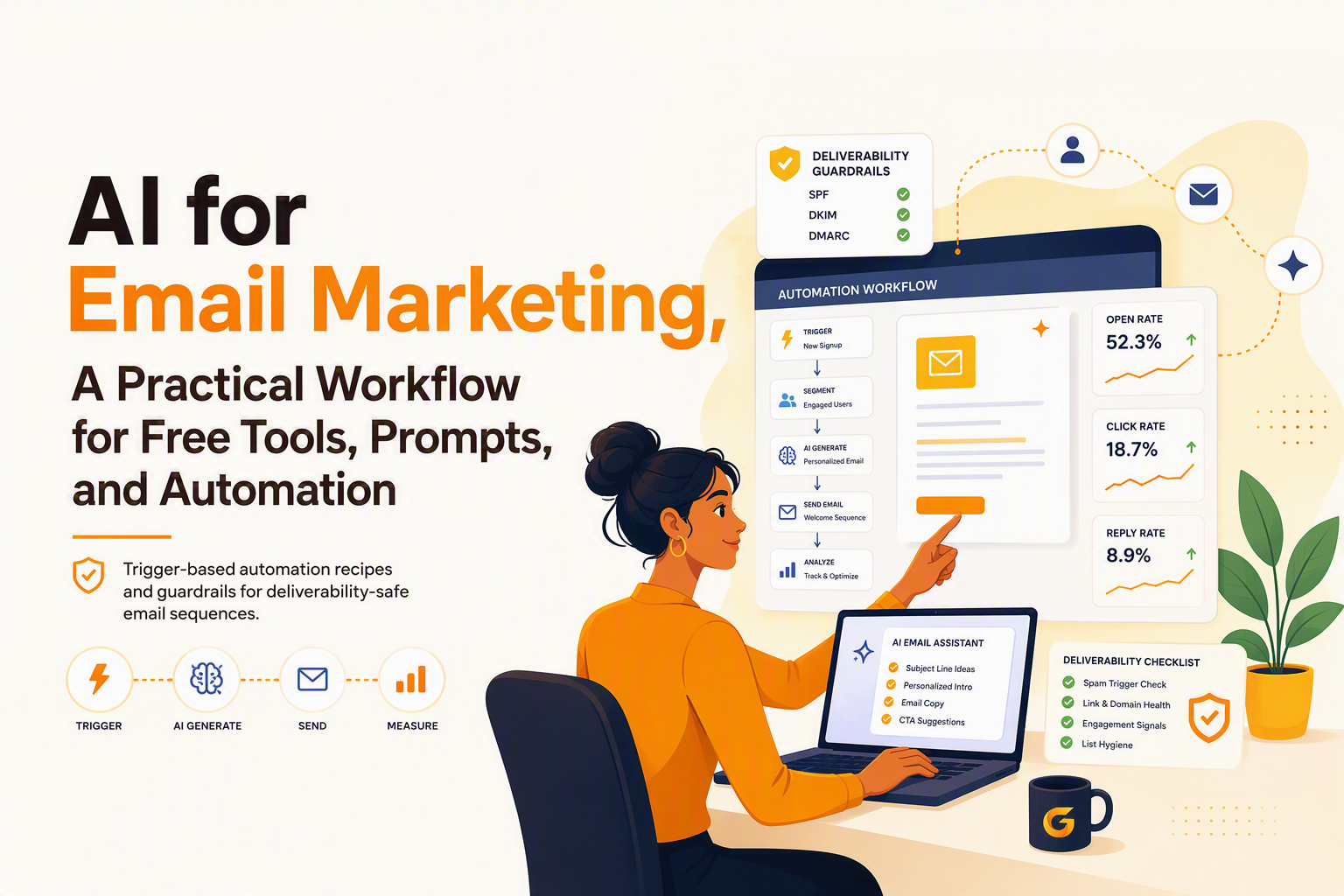
Automation earns its keep when every send is triggered by something that actually happened: a signup, a click, a login, Instead of running on a vague schedule.
Inbound lead → first-touch nurture. Trigger on form fill or trial start. Send within five minutes during business hours, otherwise queue for the next window. Have AI draft two versions based on lead source and role, cap sends at one per 24 hours, and kill the sequence the moment they book a meeting. Measure activation within 7 days (SaaS) or first purchase within 3 days (ecommerce).
Outbound with follow-ups that actually adapt. Trigger on a new verified prospect. Draft a first line grounded in public context, bridge it to your offer, close with one CTA. If they open but don't reply, the follow-up should reference new value — not just nudge about the open. If they click, send a short clarification on the offer. If nothing happens, wait 3-5 business days and try a new subject line, not the same one again. Cap it at two follow-ups unless you've got a genuinely new reason to reach out.
After going through a handful of outbound audits, the pattern was consistent: sequences die when every follow-up repeats the same pitch. Each one needs to bring something new to the table, or it's just noise.
Reactivation when someone shows real intent. Trigger when a lapsed user checks pricing again, or a dormant account logs back in. Draft a "here's what's changed" email with one quick next step. I usually keep it neutral with something like: "checking out pricing again" is fine, referencing their exact click path is not. Measure conversion within 14 days, and watch unsubscribes per 1,000 sends closely.
Personalizing Without Making People Uncomfortable
The simplest rule I adhere to is: one hook, one bridge, one ask.
In my perspective, the hook is a piece of context: either something they did with you directly, or something genuinely public, like their website or a job listing. The bridge connects that detail to an outcome you actually help with. The ask is a single, low-friction next step.
SaaS outbound can use role, company size, product category, public hiring signals, and integrations mentioned on their site. Tone should be technical enough to signal you know what you're talking about. If they're hiring SDRs, angle toward pipeline efficiency. If they're hiring engineers, angle toward saving developer time.
Ecommerce lifecycle works best off last category viewed, last order date, product type, and loyalty tier. Keep it upbeat and short. If it's been 45+ days since a purchase, send a replenishment or complementary item — not a blanket discount code.
Services and agencies should lean on niche, recent published content, pages they visited, and the type of inquiry they made. Tone here should be consultative, not hyped up. If someone downloaded a guide, follow up with a small audit offer tied to that exact topic.
Before you send anything personalized, run two quick tests. First: would you be comfortable adding a PS that says "we used your public website and what you told us" to explain how you knew this? Second: if the recipient would wonder "how do they know that?" — rewrite it with broader context.
Is It Actually Making You Money?
This is where most teams get sloppy. "Engagement went up" isn't the same as "this made money." Real measurement means tracking delivery health, engagement, and outcomes.
The ROI math is straightforward, as long as you measure lift instead of totals:
Incremental conversions = (conversion rate with AI − baseline conversion rate) × emails delivered
Incremental profit = incremental conversions × profit per conversion
Net ROI = incremental profit − tool and labor cost
It's worth modeling best, base, and worst case, especially since open rate tracking has gotten noisier with privacy changes. For SaaS outbound, model meetings per 1,000 delivered against close rate. For ecommerce promos, model revenue per recipient against margin and the hit to future list value from unsubscribes. For services, model qualified call rate against average project value.
What actually surprised us was how often "better" copy lost money. It drove more clicks but also more unsubscribes, which quietly erodes list value over time. Now unsubscribes per 1,000 gets tracked right alongside conversions, so a short-term win doesn't turn into a long-term problem.
Where This Actually Breaks
Most failures come down to three things: sending too fast, letting templates repeat themselves, and letting AI state things as fact that it just made up.
On deliverability: generate real variants instead of synonym-swapped copies of the same email. Ramp volume slowly on new domains. And remember to not blast day one. Cap frequency per contact and per domain, especially for outbound. Strip hard bounces immediately and watch role-based accounts if they're dragging down performance.
On hallucinations: make the model list the facts it used, and cut anything that doesn't trace back to a real source. Don't let it guess at things like "your churn is probably high" unless the recipient said so themselves, publicly. Keep a human in the loop on outbound and promo until you've got a track record of stable performance.
On privacy: only use the data you actually need for relevance. Don't hold onto prompts and outputs longer than you need them for review. Make sure your privacy policy actually reflects what you're doing, not what sounds good.
At scale, deliverability needs to be treated like ongoing maintenance. Have a weekly bounces check and complaints check. When necessary, pause your campaigns before your reputation takes the blow.
Workflow step | What AI does | Human ownership | Primary risk | Simple guardrail |
|---|---|---|---|---|
Map the job | Suggest angles and message hierarchy | Choose one KPI and audience rules | Vague goals | One KPI per campaign |
Draft and iterate | Generate variants, shorten, rewrite | Truth and compliance approval | Hallucinations | Facts-used list |
Personalize | Hook + bridge + CTA using allowed fields | Define allowed/forbidden fields | Creepiness | Disclosure test |
Automate triggers | Branch follow-ups by events | Set caps and stop rules | Over-sending | Frequency caps |
Measure ROI | Summarize results and hypotheses | Decide next experiment | Vanity metrics | Incremental conversion math |
FAQ
What's the safest way to use AI here without it making things up?
Make it output a "facts used" list and cut anything that isn't traceable to first-party data or a genuinely public source. Keep a human reviewing outbound and promo until the process has proven itself.
Which metric actually matters?
To be honest, it depends on which closest to revenue: Like how many meetings booked, trials started, purchases, qualified calls.
Also, track unsubscribes and complaints alongside conversions so you're not quietly damaging your list to hit a short-term number.
How do I personalize without being paranoid about it?
Keep it simple, using one hook, one bridge, one ask and stick to data you can justify using. If a line would make someone wonder how you knew that, it's too specific. Broaden it.
What should I automate first?
Start with trigger-based sends tied to real events. Elements such as signup, trial start, lead assignment, a reactivation signal. Furthermore, don't add branching and AI-written follow-ups before you've got frequency caps, stop rules, and deliverability monitoring actually in place, these will only make you distract from the actual goal.

Written by Leah Nguyen

Custom Email Marketing Explained, A Beginner-Friendly Framework for AI Personalization In 2026

Cold Email Personalization Explained, A Simple Framework That Actually Gets Replies
Learn cold email personalization with a simple framework, 10 easy fields to personalize, and tips to scale safely without hurting deliverability.

AI Tool for Email Writing How SDRs Personalize at Scale Without Sounding Robotic
Learn how SDRs choose an ai tool for email writing, personalize by industry, QA for deliverability, and measure lift with a 30-minute workflow.